
Decentralizing Machine Learning

Decentralizing Machine Learning

The last two weeks have been an absolute whirlwind in the world of generative artificial intelligence (AI), with groundbreaking new releases and cutting-edge integrations taking place. OpenAI released its highly anticipated GPT-4 model, Midjourney unveiled its latest V5 model, and Stanford released their Alpaca 7B language model. Meanwhile, Google launched generative AI across its entire Workspace suite, while Anthropic introduced its AI assistant Claude, and Microsoft integrated its powerful generative AI tool Copilot into the Microsoft 365 suite.

The pace of AI development and adoption is showing no signs of slowing down as businesses have begun to realize the value of AI and automation and the need to adopt these technologies to remain competitive in the market.

Despite the seemingly smooth progress of AI development, there are underlying challenges and bottlenecks that must be addressed. As more businesses and consumers embrace AI, a bottleneck is emerging around computing power. The computations required for AI systems is doubling every few months, while the supply of computing resources struggles to keep pace. Furthermore, the cost of training large-scale AI models continues to soar, with an increase of approximately 3100% per year over the past decade.

This trend towards rising costs and increasing resource demands needed to develop and train cutting-edge AI systems is resulting in centralization, where only entities with massive budgets are able to conduct research and produce models. However, several crypto-based projects are building decentralized solutions to address these issues using open compute and machine intelligence networks.

Primer on AI and ML

The advancement of AI is driven by three main factors:

  • Algorithmic innovation: Researchers are constantly developing new algorithms and techniques that allow AI models to process and analyze data more efficiently and accurately.
  • Data: AI models rely on large datasets as the fuel for their training, enabling them to learn from patterns and relationships within the data.
  • Compute: The complex calculations necessary for training AI models require large amounts of computational processing power.

However, there are two main problems that are hindering the development of AI. Back in 2021, obtaining data was the top challenge facing AI companies in their pursuit of AI development. Last year, compute-related issues surpassed data as a challenge, specifically due to the lack of on-demand access to compute resources, driven by high levels of demand.

The second problem is related to inefficiencies in algorithmic innovation. While researchers continue to make incremental improvements to models by building on previous ones, the intelligence, or patterns, extracted by these models is always lost.

Let’s dig deeper into these problems.

Compute Bottleneck and Decentralized AI

Training foundational machine learning models requires extensive resources, often involving the use of large numbers of GPUs over extended periods of time. For instance, Stablility.AI needed 4,000 Nvidia A100 GPUs running in AWS’ cloud to train their AI models, which cost them more than $50 million in a month. OpenAI’s GPT-3, on the other hand, was trained using 1,000 Nvidia V100 GPUs, costing $12 million.

AI companies are often faced with two choices: investing in their own hardware and sacrificing scalability, or opting for cloud providers and paying inflated prices. While larger companies can afford to choose the latter, smaller companies may not have that luxury. With the rising cost of capital, startups are being forced to cut back on cloud spending, even as the cost of expanding infrastructure for large cloud providers remains largely unchanged.

The high cost of computing for AI creates significant obstacles for researchers and organizations pursuing advancements in the field. Currently, there is a pressing need for an affordable, on-demand serverless compute platform for ML work, which is absent in the traditional computing landscape. Fortunately, several crypto projects are working to develop decentralized machine learning compute networks that can address this need.

Blockchain and machine learning

Deep learning has gained huge traction in recent years because of its potential to make informed decisions. A large portion of today’s deep learning systems are based on centralized servers and fall short in providing operational transparency, traceability, reliability, security, and trusted data provenance features. Also, training deep learning models by utilizing centralized data is vulnerable to the single point of failure problem. In this paper, we explore the importance of integrating blockchain technology with deep learning. We review the existing literature focused on the integration of blockchain with deep learning. We classify and categorize the literature by devising a thematic taxonomy based on seven parameters; namely, blockchain type, deep learning models, deep learning specific consensus protocols, application area, services, data types, and deployment goals. We provide insightful discussions on the state-of-the-art blockchain-based deep learning frameworks by highlighting their strengths and weaknesses. Furthermore, we compare the existing blockchain-based deep learning frameworks based on four parameters such as blockchain type, consensus protocol, deep learning method, and dataset. Finally, we present important research challenges which need to be addressed to develop highly trustworthy deep learning frameworks.

Blockchain technology enables establishing the provenance of machine learning models, thus leading to trusted Artificial intelligence (AI) systems. Blockchain technology presents a robust system and can incentivize the participants who share their data (data trading) which is used to train machine learning models.

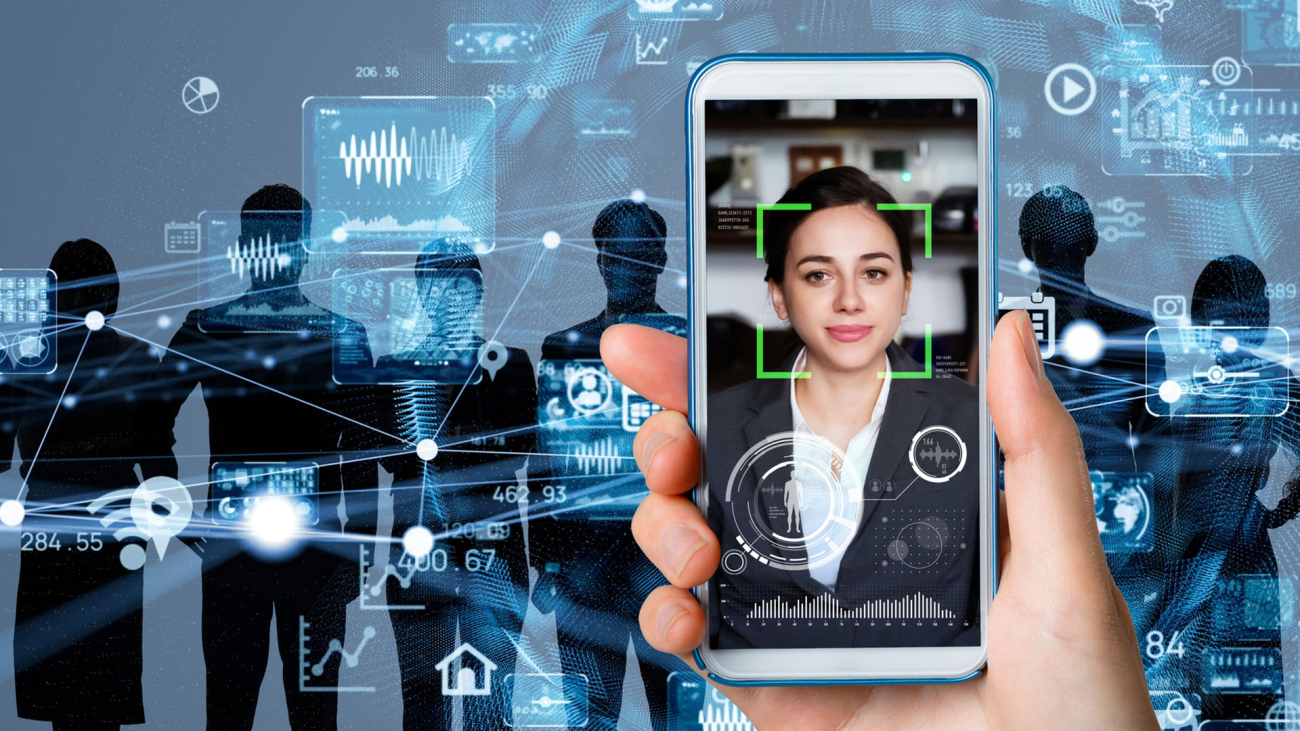
Personally Identifiable Information (PII)

Personal Identifiable Information (PII)

Personal Identifiable Information (PII) is defined as: Any representation of information that permits the identity of an individual to whom the information applies to be reasonably inferred by either direct or indirect means.

Personally identifiable information (PII) is information that, when used alone or with other relevant data, can identify an individual.

PII may contain direct identifiers (e.g., passport information) that can identify a person uniquely, or quasi-identifiers (e.g., race) that can be combined with other quasi-identifiers (e.g., date of birth) to successfully recognize an individual.

Understanding Personally Identifiable Information

Advancing technology platforms have changed the way businesses operate, governments legislate, and individuals relate. With digital tools like cell phones, the Internet, e-commerce, and social media, there has been an explosion in the supply of all kinds of data.

Big data, as it is called, is being collected, analyzed, and processed by businesses and shared with other companies. The wealth of information provided by big data has enabled companies to gain insight into how to better interact with customers.
However, the emergence of big data has also increased the number of data breaches and cyberattacks by entities who realize the value of this information. As a result, concerns have been raised over how companies handle the sensitive information of their consumers. Regulatory bodies are seeking new laws to protect the data of consumers, while users are looking for more anonymous ways to stay digital.

Sensitive vs. Non-Sensitive Personally Identifiable Information

Sensitive PII

Personally identifiable information (PII) can be sensitive or non-sensitive. Sensitive personal information includes legal statistics such as:

• Full name
• Social Security Number (SSN)
• Driver’s license
• Mailing address
• Credit card information
• Passport information
• Financial information
• Medical records

The above list is by no means exhaustive. Companies that share data about their clients normally use anonymization techniques to encrypt and obfuscate the PII, so it is received in a non-personally identifiable form. An insurance company that shares its clients’ information with a marketing company will mask the sensitive PII included in the data and leave only information related to the marketing company’s goal.

Non-Sensitive PII

Non-sensitive or indirect PII is easily accessible from public sources like phonebooks, the Internet, and corporate directories. Examples of non-sensitive or indirect PII include:

• Zip code
• Race
• Gender
• Date of birth
• Place of birth
• Religion

The above list contains quasi-identifiers and examples of non-sensitive information that can be released to the public. This type of information cannot be used alone to determine an individual’s identity.

However, non-sensitive information, although not delicate, is linkable. This means that non-sensitive data, when used with other personal linkable information, can reveal the identity of an individual. De-anonymization and re-identification techniques tend to be successful when multiple sets of quasi-identifiers are pieced together and can be used to distinguish one person from another.

Safeguarding Personally Identifiable Information (PII)

Multiple data protection laws have been adopted by various countries to create guidelines for companies that gather, store, and share the personal information of clients. Some of the basic principles outlined by these laws state that some sensitive information should not be collected unless for extreme situations.

Also, regulatory guidelines stipulate that data should be deleted if no longer needed for its stated purpose, and personal information should not be shared with sources that cannot guarantee its protection.

Cybercriminals breach data systems to access PII, which is then sold to willing buyers in underground digital marketplaces. For example, in 2015, the IRS suffered a data breach leading to the theft of more than a hundred thousand taxpayers’ PII.

Using quasi-information stolen from multiple sources, the perpetrators were able to access an IRS website application by answering personal verification questions that should have been privy to the taxpayers only.

How PII Is Stolen

Many thieves find PII of unsuspecting victims by digging through their trash for unopened mail. This can provide them with a person’s name and address. In some cases, it can also reveal information about their employment, banking relationships, or even their social security numbers.
Nowadays, the Internet has become a major vector for identity theft. Phishing and social engineeringattacks use a deceptive-looking website or email to trick someone into revealing key information, such as their name, bank account numbers, passwords, or social security number. It is also possible to steal this information through deceptive phone calls or SMS messages.

Tips on Protecting PII

While it is not possible to fully protect yourself, you can make yourself a smaller target by reducing the opportunities to steal your PII. Experian, one of the top three credit agencies, lists several steps that you can take to reduce your surface area.
For example, a locked mailbox or PO box makes it harder for thieves to steal your mail and removing personal identification from junk mail and other documents makes it harder for identity thieves to associate a name with an address. Also, avoid carrying more PII than you need—there’s no reason to keep your social security card in your wallet.
Likewise, there are some steps you can take to prevent online identity theft. Data leaks are a major source of identity theft, so it is important to use a different, complex password for each online account. Always encrypt your important data, and use a password for each phone or device. It is also a good idea to reformat your hard drive whenever you sell or donate a computer.

Digital Identity

Digital Identity

A digital identity is information used by computer systems to represent an external agent – a person, organization, application, or device. Digital identities allow access to services provided with computers to be automated and make it possible for computers to mediate relationships.

The use of digital identities is so widespread that many discussions refer to the entire collection of information generated by a person’s online activity as a “digital identity”. This includes usernames, passwords, search history, birthdate, social security number, and purchase history, especially where that information is publicly available and not anonymized and so can be used by others to discover that person’s civil identity. In this broader sense, a digital identity is a facet of a person’s social identity and is also referred to as online identity.

An individual’s digital identity is often linked to their civil or national identity and many countries have instituted national digital identity systems that provide digital identities to their citizenry.

The legal and social effects of digital identity are complex and challenging.

Personal Identifiable Information (PII)

Personal Identifiable Information (PII) is defined as: Any representation of information that permits the identity of an individual to whom the information applies to be reasonably inferred by either direct or indirect means.

The Digital Identity Crisis

To survive in our digitally transformed world, we’ve all gotten used to typing in personal details without a second thought and letting them drift wherever the internet winds may take them. Our names, addresses, emails, and other unique identifiers unlock everything from online banking to one-tap food delivery. But this same accessibility creates innumerable vulnerabilities for identity theft and even grand scale fraud attacks.

This contradiction—that our digital identities are both key to survival and constantly under attack—has created a fracture known as the Digital Identity Crisis. It’s a problem for everyone living in the digital age, but it’s up to businesses to solve it. And the stakes have never been higher.

The Ongoing Impact of the Digital Identity Crisis

The Digital Identity Crisis is causing chaos in how money and identities move across the web. It’s why many major hotels, car rental companies, and other large merchants have stopped accepting digital credit cards. It’s how 4.5 million fraudulent customer accounts were created at PayPal—causing a 25% stock slump. It’s why Robinhood created a list of digital banks from which it bans transfers: literally turns away money. And it’s the reason why so many underbanked, genuine customers get rejected during the digital onboarding processes, simply because they have a thin file of credit or a small digital identity footprint.

Companies have resigned themselves to these pull-up-the-drawbridge efforts as their best attempts to stop the citizen fraudsters, bot attacks, and sophisticated fraud rings that target and trade in valuable PII. The very fact that businesses would take such drastic measures shows how seriously they take the Digital Identity Crisis. Chime, for example, is a digital bank that has booming growth in both users and valuation; but major industries refuse to do business with them due to fraud worries, and in effect are locking themselves out of a robust revenue stream. And it’s not just the monetary impact of fraud that causes nightmares: brands’ reputations, consumer confidence, and regulator penalties are also at stake. How can businesses protect their reputations and revenue, without locking the door on genuine customers?

The Costly “Solutions” to Fraud

Fraud attacks can clobber a business in multiple ways. But while focused on preventing costly fraud loss, they’re often suffering from the even higher cost of false positives. Despite my career spent working with fraud teams, helping hundreds of companies fight fraud and reduce losses caused by cybercriminals, data breaches, and poor verification strategies, I am still constantly surprised by just how much money is lost each year due to fraud prevention systems declining genuine customers who are flagged as suspicious (aka, false positives). According to the Aite Group report, The E-Commerce Conundrum: Balancing False Declines and Fraud Prevention, between 2017-2019 more than 62% of merchants reported their false positive rates had increased. This same report predicted that those losses would grow to $443 billion within two years. This number is staggering, and typically far outweighs losses from fraudulent purchases.

Part of the difficulty in determining genuine customers lies in the fact that most fraud prevention technologies rely on static, historical data that is easily compromised. Many of today’s identity verification tools look backward: at where applicants live, what their credit score is, and other personal identifiable information (PII) connections. Meanwhile, PII is what fraudsters are harvesting and inputting at scale. So cybercriminals are increasingly able to use genuine PII data for fraudulent activities. They submit that PII, it gets through the fraud checks, and costs money. Meanwhile, genuine customers who just don’t have as lengthy PII trails—maybe they’ve moved a lot, or haven’t established long credit histories—get denied.

So, what do you do when the cure costs you more than the disease?

Digital Identity Verification Beyond Traditional Data

This is where new, highly accurate methods of pre-submit data analysis are driving real change across the fraud prevention industry. Pre-submit data is the information derived before PII is even submitted, pulled solely from the digital interactions of an online applicant as they fill out a form. When a prospective customer taps, types, or swipes information into an online form or application, these behaviors create pre-submit or behavioral data.

Behavioral data provides indicators of the intentions and experience that the user leaves behind with every interaction. It can provide deep insights into what users’ true intentions are (legitimate or nefarious), if they are who they say they are, and even the experience they have during their customer journey (confusion, frustration, confidence, etc).

This data has always been generated by digital applicants. For most organizations, this data is inherently captured–but not put to good use. Pre-submit behavioral analytics technology is often the critical missing piece in a business’ fraud detection and prevention system. Bringing with it the potential to save billions of dollars annually lost to fraud, false positives, and customer friction, many regard it as the true solution to solving the Digital Identity Crisis and overcoming the hazards of unreliable PII. Some behavioral analytics technology can even look at crowd-level behavior and find bot attacks before they do damage.

The Digital Identity Crisis is a real threat, but not insurmountable. Cybercriminals flourish when businesses stay in scramble mode, relying solely on static and likely compromised pools of PII data. Pre-submit and behavioral analytics are real-time checks that help businesses keep their eyes on the horizon for new opportunities, instead of always looking backwards at applicants’ history. Those who take advantage of this cutting-edge technology will also stay leaps and bounds ahead of the Digital Identity Crisis, and all the pain that comes with it.

Password management

Password management

Hackers harvest, weaponize and sell corporate and personal passwords in order to obtain financial reward, damage reputations, steal intellectual property, or for other illegal undertakings. According to cyber security researchers, 80% of hacks involve the theft or reuse of employee passwords.

This is in no small part due to lack of employee education and corporate negligence. Within your organization, advocate for a concerted, company-wide effort around password security and password protection. Here’s how. Share the following password best practices with your peers, clients and prospects.

Password security best practices for everyone

This list starts with password fundamentals that most people are acquainted with and gradually transitions into more sophisticated password security best practices.

  1. Passwords should be 8-12 characters long. Use a mix of letters, numbers, and symbols.
  2. Vary with upper case and lower case letters (in applicable languages).
  3. Avoid recycling the same password across multiple accounts.
  4. After 90 days, rotate passwords.
  5. Consider a password manager. Password managers function as digital books of passwords, locked by a master key. If a cloud-based password manager sounds eerie, consider using a local password storage program on your computer (Roboform or PasswordSafe).
  6. Prioritize longer passwords. The longer the password, the stronger the password.
  7. Avoid using real words within passwords, as hackers can deploy dictionary attacks, which systematically throw every word in the dictionary against an account’s login portal.
  8. Complicate your answers to password security questions; avoid using the name of your spouse, children, relatives or pets, as these answers can often be found on your social media profile or elsewhere online.
  9. Check to see whether or not your passwords have previously been stolen. You can use Mozilla’s Firefox Monitor and Google’s Password Checkup tool to determine which of your email addresses and passwords have been compromised in a data breach. Have I Been Pwned is another good password checker option.
  10. Secure your phone with a strong password, fingerprint or facial recognition software.

Password security best practices for IT teams

  1. Limit incorrect login attempts to 5 or fewer.
  2. Allow passwords to be 64 characters long or longer, rather than limiting the length to 10 characters.
  3. Apply password encryption. Password encryption offers additional protection.
  4. Implement multi-factor authentication. Multi-factor or two-factor authentication prevents hackers from accessing your portals or network after cracking simple passwords.
  5. Deploy privileged access management software for employees with access to sensitive data.
  6. Ensure that your organization uses up-to-date anti-malware and vulnerability management solutions.
  7. Adopt the practice of changing corporate account passwords after an employee leaves the enterprise.
  8. Avoid accessing accounts as ‘root’ or ‘administrator.’ Use your own login and switch user (SUDO) or “run as” in order to execute administration commands.
  9. Consider disabling root login.Establish password audits. Track your employees’ compliance with the organization’s password security policy. An audit will monitor password modifications in order to ensure compliance. It will also highlight and correct weak access points.
  10. Send employees password best practices reminders. Employees usually have good intentions, but may forget to update passwords, or to otherwise comply with an organization’s password policy. Send employees email notifications reminding them of policies, best practices and the need to rotate passwords ahead of their expiration.

In summary

The stakes are high and the security risks are real. With a compromised password, a hacker could instantly halt your business’s productivity, sink profits, crash your stock price, and engender real-world harm.

Applying password security best practices is as much a choice as locking the doors at night. Keep your people, processes, technologies, partners, clients and IP secure by ensuring that everyone puts password security best practices into action.

Operationalizing behavioral changes can be tough for employees and IT teams alike. But the rewards are worth it and portend to a bright future.

Passwordless Authentication

Passwordless Authentication

What is Passwordless Authentication?

Passwordless Authentication is an authentication method that allows a user to gain access to an application or IT system without entering a password or answering security questions. Instead, the user provides some other form of evidence such as a fingerprint, proximity badge, or hardware token code. Passwordless Authentication is often used in conjunction with Multi-Factor Authentication (MFA) and Single Sign-On solutions to improve the user experience, strengthen security, and reduce IT operations expense and complexity.

The Problem with Passwords

Today’s digital workers rely on a wide variety of applications to perform their jobs. Users are forced to memorize and track a dizzying array of frequently changing passwords. Overwhelmed by password sprawl, many users take risky shortcuts like using the same password for all applications, using weak passwords, repeating passwords, or posting passwords on sticky notes. Bad actors can take advantage of lax password management practices to mount cyberattacks and steal confidential data. In fact, compromised account credentials are a leading cause of data breaches.

Simple authentication methods that require only username and password combinations are inherently vulnerable. Attackers can guess or steal credentials and gain access to sensitive information and IT systems using a variety of techniques, including:

  • Brute force methods – using programs to generate random username/password combinations or exploit common weak passwords like 123456
  • Credential stuffing – using stolen or leaked credentials from one account to gain access to other accounts (people often use the same username/password combination for many accounts)
  • Phishing – using bogus emails or text messages to trick a victim into replying with their credentials
  • Keylogging – installing malware on a computer to capture username/password keystrokes
  • Man-in-the-middle attacks – intercepting communications streams (over public WiFi, for example) and replaying credentials

Passwordless Authentication Reduces Risk and Improves User Satisfaction

Passwordless Authentication strengthens security by eliminating risky password management practices and reducing attack vectors. It also improves user experiences by eliminating password and secrets fatigue. With Passwordless Authentication, there are no passwords to memorize or security question answers to remember. Users can conveniently and securely access applications and services using other authentication methods such as:

  • Proximity badges, physical tokens, or USB devices (FIDO2-compliant keys)
  • Software tokens or certificates
  • Fingerprint, voice or facial recognition, or retina scanning
  • A mobile phone application

Passwordless Authentication is typically deployed in conjunction with Single Sign-On, so an employee can use the same proximity badge, security token, or mobile app to access all their enterprise applications and services. Passwordless Authentication is also often used as part of a Multi-Factor Authentication solution, where users are forced to provide multiple forms of evidence to gain access to enterprise applications and systems. For example, to access a mobile phone app, a remote user might be required to tap a fingerprint sensor and enter a one-time, short-lived SMS code sent to their phone.

The latest MFA solutions support adaptive authentication methods, using contextual information (location, time-of-day, IP address, device type, etc.) and business rules to determine which authentication factors to apply to a particular user in a specific situation. Adaptive MFA balances convenience with security. For example, an employee accessing an enterprise application from a trusted home computer might be required to provide only one form of authentication. But to access the application from a foreign country over an untrusted WiFi connection, the user might also have to enter an SMS code.

Passwordless Authentication Benefits

Passwordless Authentication provides a variety of functional and business benefits. It helps organizations:

  • Improve user experiences – by eliminating password and secrets fatigue, and providing unified access to all applications and services.
  • Strengthen security – by eliminating risky password management techniques and reducing credential theft and impersonation
  • Simplify IT operations – by eliminating the n.eed to issue, secure, rotate, reset, and manage passwords.

What is OwnID?

Rooly Eliezerov is a serial entrepreneur in the digital identity space, currently the Co-founder of OwnID, the passwordless identity platform. Prior to OwnID, Rooly co-founded Gigya, which was acquired by SAP. Gigya leads the Customer Identity and Access Management (CIAM) market, managing over a billion digital identities for the largest organizations in the world. The book ‘The Digital Identity Crisis’ by Rooly Eliezerov was published by Wiley and Sons in March 2018.

In this superb interview, co-founder of OwnID, Rooly Eliezerov, provides a behind-the-scenes look at his new, innovative startup’s smartphone-based, biometric passwordless authentication technology. OwnID aims to transform how people log into their accounts, and to drive advances in the digital identity ownership arena.

Decentralized solutions like OwnID pave the way towards a self-sovereign identity and hyper-personalized user experiences. Discover how the identity management landscape is evolving, and see what the future might hold.

Tell us about the OwnID story

Dor and I, the founders of OwnID, are part of the founding team of Gigya, the Customer Identity and Access Management (CIAM) platform that was acquired by SAP in 2017 for $350 million. After the acquisition we felt that identity management is an unfinished business and that there needs to be a more transformational approach to identity. We joined forces with some other bright minds from Gigya and raised our seed round with the main Gigya investor Mayfield. So, the band is back together for Act 2.

Why biometrics as opposed to another sign-in methodology?

Our concept is that ‘the phone is the key’. In the same way my phone can unlock my car and house door, it can unlock anything else digital. Fortunately, phones are locked with a secure biometric mechanism, and therefore what we have here is frictionless Two Factor Authentication (something you have + something you are). We believe it’s much better than old school auth mechanisms like magic links, SMS code and definitely a password. Better means: easier to use and more secure.

Tell us about the technology behind the product?

We are utilizing WebAuthn and FIDO2. Therefore, our product is completely web based. It enables websites accessing the lock mechanism of the user’s phone (both iPhone and Android). But our product goes beyond the core technology. It addresses many use cases (e.g. phone temporarily not available, phone is lost, phone doesn’t support biometrics, user already has an account with a password etc.)

How do organizations add passwordless to their customer identity processes?

A big advantage of OwnID is the ease of implementation. OwnID is an add-on to a given site’s existing system. Sites that wish to add OwnID’s passwordless can keep their existing registration and login forms, and just add the OwnID button side by side with their password field, which enables the users to authenticate using their phone’s biometrics. If user is browsing their desktop or any other device, when clicking this button, a QR code will be presented, the user will scan it with their phone which will prompt their phone’s FaceID/fingerprint, and the desktop will be logged in.

What impact is the OwnID technology having?

Many more users register and login when they can do it with their phone biometrics. It’s just easier. See how it’s done on Nestle and Delonghi. These two of OwnID’s largest clients report an increase in both registrations and logins to their sites and are constantly deploying OwnID to additional properties around the globe.

What key principles do you think about in protecting your users’ data?

Our key principle is: don’t keep data in a single place, but rather, distribute it. Therefore, we don’t store any user data in our database. We don’t even have a user data base. Our technology keeps the user auth keys on the user’s phone. We place a public key for each user in the database of the website we are serving, and we match a signature that is generated by the user’s phone to the public key. For each website the user has different keys.

What business insights would you like to share with other business leaders?

Our business approach is adoption driven. We believe that elegant solutions are not enough. As a matter of fact, our product strategy is strongly influenced by the go-to-market strategy. This is why we chose to offer our solution as an add-on and not a reap-and-replace solution. We also believe in making everything as frictionless as possible – frictionless for the end-user, frictionless for the developer and frictionless even for the business decision maker. Whatever you offer should be the most sensible thing to do across all parties.

Your perspectives on the future of identity management?

In 2018, Wiley published a book I wrote titled ‘The Digital Identity Crisis’ where I cover all aspects of digital identity and where I think it’s headed. My conclusion is that personal data will continue to expand and create value, but to keep it private we’ll need to have a mechanism that enables each individual to be the owner of their digital identity, so each of us controls and knows exactly how her or his data is being used.

The Common Indicators of a Phishing Attempt

The Common Indicators of a Phishing Attempt

Phishing attempts are not rare. Some analysts claim that around 15 billion spam or fraudulent emails are sent daily, meaning that roughly 1% of all emails are classified as phishing attacks. While these numbers are massive, email is not the only way cyber attackers launch phishing scams, as attackers also use SMS text message phishing (smishing), phone call voice phishing (vishing), and other attack strategies like clone phishing and page hijacking.

Regardless of how a phishing attack is launched, it’s clear we are dealing with huge volumes of scamming. The prevailing assumption is that phishing attempts are clumsy, and we have seen it often: weird-looking scam emails in our spam folders, or bungling phone calls from someone poorly impersonating a bank or business. But this notion that phishing attempts are easy to recognize can lead to a false sense of security around the danger of phishing as, more and more often, phishing techniques are sophisticated and harder to spot.

Recognize Phishing to Protect Yourself

Every business, large or small, should make the awareness of the common indicators of phishing a central part of their phishing prevention strategy. This, coupled with robust anti-phishing software for business, will provide important pillars of your organization’s cybersecurity plan. But what are those common indicators? Some are obvious, others much more subtle.

Below, we discuss the most common signs of a phishing attack.

Notice an Unfamiliar Tone or Syntax, Errors in Spelling and Grammar

Arguably the most common signs of phishing communications show up in how they are presented. Most obviously, spelling errors and odd use of grammar. While all of us can be guilty of putting a typo in an email, an email full of misspellings should be enough to warrant caution and further investigation. The tone of the exchange is also very important. Often, scammers try to produce a sense of urgency in bogus phishing emails by capitalizing words, adding exclamation points, and using command language, e.g., “PAY NOW BEFORE ITS (sic) TOO LATE!”. The vast majority of legitimate business communications, even those requesting payment, use positive and diplomatic language, so alarm bells should ring when the tone becomes threatening, coercive, or overly urgent.

Scrutinize the Look of the Message

In addition to written cues, signs of a phishing email may also be evident in how the communication is presented. As mentioned, scammers often pose as the real deal, trying their best to impersonate a bank or business employee, creating fake websites and mimicking logos and overall design. While these cybercriminals are getting more adept at imitating the messaging of organizations, there still might be something off with an email’s look in terms of style, color, logo, and so on. The difference may be subtle, but if there is a discrepancy between what you receive and what you have received in the past in terms of the font, color scheme or logo, this inconsistency could indicate a phishing cyberattack.

Watch for Spoofed Hyperlinks, Domain Names, URLs, and Attachments

“Hover before you click” and “think before you click” are two of the fundamental maxims of phishing prevention strategies. In the simplest terms, it means taking a moment to think before you click on potential spoof hyperlinks within an email or message. The hovering technique means using your cursor to linger over a link to see the full URL before clicking. Doing so will expose any difference between the link address and the purported sender of the email. On websites, you should look for the HTTPS URL, designating an SSL security certificate. Legitimate companies will most likely have “clean” domain names and email addresses, like no_reply@email.apple.com, so exercise caution when you feel the address doesn’t quite fit the sender.

However, you should be aware that sophisticated phishing techniques can trick people with links and addresses that do look legitimate. Consider, for example, that the lowercase “l” and uppercase “I” can look very similar on a computer screen. Can you spot the difference between “AppIe” and “Apple”? The former is misspelled using an uppercase “i”. When in doubt, go to the actual website (not clicking on the provided link) and check out your concerns. And what about downloading attachments? The answer is simple: You should never download an attachment that looks suspicious or that has arrived from an unknown sender.

Be Diligent about Unsolicited Communications and Possibly Fake Companies

In 2019, a man was convicted of swindling Google and Facebook out of over $100 million dollars using one of the most sophisticated phishing schemes ever recorded. Essentially, the scammer set up a fake company, complete with phony email addresses and invoices. Now, your small business would likely notice if $100 million walks out the door, but the scam perfectly encapsulates the phishing threat posed by bogus companies. Indeed, we can point to other recent examples of phishing fraud where scammers impersonated executives within the targeted company, presenting themselves as high-ranking employees.

Halt for Unusual Requests, Demands for Payment or Personal Information

Beyond how a communication is presented, what it contains, and who is sending it, recipients should always be questioning what they are being asked to do. The key is to be skeptical, particularly when you – as the recipient – did not initiate the communication and especially when you have not heard of the company that has contacted you. It is unlikely any executive, manager, or CEO would be upset if a diligent employee double-checks who is behind the email, specifically if they are demanding payment or company-related data, or soliciting personal information. Whether it is within your job role or not, promoting the culture of phishing prevention within your business is smart.

Demands for sensitive information, including pin codes and passwords, should always raise a red flag. Similarly, if the sender is asking for personal information, such as date of birth, addresses, and even simple things like names, it warrants further investigation. Remember, phishing is a type of social engineering, and scammers can patiently build up a profile of employees, using the information obtained to trick people into believing they are legitimate. In fact, around 96% of phishing attacks are said to be created for intelligence gathering!

The Bottom Line: Understand the Common Hallmarks of Phishing to Protect Yourself

The bottom line is while phishing attempts can sometimes seem clumsy, featuring strange-looking emails full of errors or communications from businesses you’ve never heard of, today’s cybercriminals are more refined, with their efforts often more clever than we expect. Scammers can be particularly skilled at instilling a sense of urgency – even panic – through their use of language and pretending to be company bigwigs demanding action now. Despite their new sophistication, there are steps everyone can take to protect themselves against phishing attempts.

Checking carefully for sloppy errors and the telltale signs of inauthentic emails should be an obvious first step. Spending a moment to verify the authenticity of the sender – checking the URL, asking for more information, calling the company if necessary – will also provide an extra layer of protection against phishing scams. Requiring a deeper commitment to spotting and stopping phishing is education of yourself and your team. Of course, for the best protection against a range of scams, to prevent cyberattacks as well as falling prey to phishing, ongoing education should be implemented alongside the use of business security software for your organization. But no matter what, avoid handing over vital data and requests for payment, particularly if they come from unsolicited communication.

Beware of Fake ChatGPT browser extension

Fake ChatGPT browser extension is hijacking Facebook Business accounts

A fake ChatGPT extension named “Quick access to ChatGPT” has been found to hijack Facebook business accounts. The extension injects malicious code into the Facebook pages of targeted businesses, allowing attackers to gain unauthorized access to the accounts and take over their management functions. This has led to multiple businesses reporting similar incidents of unauthorized access.

Although the name of the extension suggests it is a legitimate ChatGPT extension, it is important to note that it is a fake extension designed to deceive users into downloading it. ChatGPT currently does not have an official extension.

This malicious extension was initially marketed as a tool to help businesses automate their customer service operations. However, the creators of the extension added a backdoor that allowed hackers to gain access to business accounts. The injected malicious code is designed to steal login credentials, which are then used to take control of the account.

Once attackers have taken control of the account, they can make unauthorized changes to the business’s Facebook page, post malicious content, and even access private messages. This can be highly damaging for businesses that rely heavily on Facebook for marketing and customer engagement.

It is important to note that browser extensions can pose a significant security risk if they are not properly vetted. This is because extensions have access to sensitive data such as browsing history, login credentials, and personal information. Malicious extensions can be used to steal this data or inject malicious code into websites.

In addition, many extensions are poorly coded and contain vulnerabilities that can be exploited by attackers. This can lead to a variety of security issues, including remote code execution, data exfiltration, and unauthorized access to user accounts.

To minimize the risk of a security breach, it is recommended that users only download extensions from reputable sources and carefully review the permissions requested by each extension. Users should also regularly review their list of installed extensions and remove any that are no longer needed or have not been updated in a long time.

Furthermore, businesses should have clear policies and procedures in place for the use of browser extensions, including guidelines for which extensions are allowed and how they should be vetted. This can help to ensure that all extensions used by employees are secure and pose minimal risk to the organization.

Cryptowatch Desktop Trader

Cryptowatch Desktop Trader

Built to be fast

They built Cryptowatch Desktop for speed. You can launch up to 48 charts with minimal CPU impact and blistering performance.

Built to be configurable

They built Cryptowatch Desktop for you. Design your own multi-screen trading dashboard with dozens of modules and color combinations for time and sales, trading ladder, candle charts, depth chart and more.

Built to be powerful

They built Cryptowatch Desktop for power. The app offers the most advanced tools for traders, featuring ladders and scaled orders for click traders across major crypto exchanges.

Ladder trading in Cryptowatch Desktop Trader

Never fill out an order form again. We’ve ported the popular equities trading tool to the world of crypto for a one click trading experience across multiple exchanges.

Unlimited Charting in Cryptowatch Desktop Trader

New data types for blockchain metrics, NFT floor prices, and more. Plus, new indicators, annotation, and drawing tools.

Trade on all major crypto platforms in Cryptowatch Desktop Trader

Their improved order ticket supports live trading on over 10,000 crypto markets.

Market movement audio in Cryptowatch Desktop Trader

Sound the alarm when markets or orders move with our customizable audio cues. Feeling creative? Build your own trading symphony from scratch.

Cryptowatch’s goal is to help you trade more efficiently, make smarter decisions, and gain an edge on the market. And now you get it all for free on any Kraken Market when you connect your Kraken account.

Sheel Mohnot and Amruta Godbole in front of a real-world Taco Bell. Taco Bell

Vegetarian couple got married in the metaverse

  • Sheel Mohnot, a venture capitalist, and Amruta Godbole, a product lawyer, got engaged in August 2022.
  • Soon after, the couple won a contest to have a wedding in the metaverse sponsored by Taco Bell.
  • Take a look at their metaverse wedding and live reception afterwards at the “world’s most beautiful Taco Bell.”

Sheel Mohnot, a Silicon Valley venture capitalist who co-founded the firm Better Tomorrow Ventures, was looking for love.

Sheel Mohnot, a cofounder at Better Tomorrow Ventures, poses for a photo in an office. Better Tomorrow Ventures

During the pandemic, a mutual friend introduced him to Amruta Godbole, a lawyer at Instagram. Their first phone call in May 2020 was almost six hours long.

Taco Bell metaverse
Taco Bell

Soon after, they had a socially distanced date in Mohnot’s backyard. Cue a whirlwind romance in which they biked through Burning Man’s Black Rock City and spent an evening in a six-person Slovenian village — by August 2022, they were engaged.

Taco Bell wedding. Sheel Mohnot

Just weeks later, the couple saw an unexpected opportunity. Taco Bell was calling on prospective couples to apply to the brand’s “first-ever, virtual legal and metaverse wedding package.”

The exterior of a Taco Bell. Ethan Miller/Getty Images

Mohnot said “it was perfect timing.”

Applicants were asked to submit a registration form and video detailing their unique love story. The prize would be a Web 3.0 wedding for “two die-hard enthusiasts to take their Taco Bell love to the next level,” the contest announcement promised.

Mohnot was eager to enter the contest because he had long had an affinity for Taco Bell. He said growing up in the US as a vegetarian in the late ’80s and ’90s “it was the only place that you could go for fast food,” so going out to eat became “kind of synonymous with Taco Bell.”

Taco Bell plant based protein

The couple also had a date early in their relationship at the oceanfront Taco Bell in Pacifica, California. “So it had meaning for us in that way, too,” Godbole said.

Taco Bell's location in Pacifica, California. Taco Bell
Taco Bell’s location in Pacifica, California. Taco Bell

They submitted a video homage to Taco Bell before the contest’s deadline in early September 2022, and by October, they found out they had been selected out of more than 300 submissions.

Taco Bell wedding. Taco Bell

In the video, Godbole mentioned that Taco Bell was one of the first things she and Mohnot had bonded over as vegetarians who loved Mexican food.

Mohnot put the final touch on the video when he cracked open a ring-shaped case — to reveal an actual wedding band — and earnestly asked, “Taco Bell — will you marry us?”

In the months leading up to the wedding, Godbole said they had planning sessions with Taco Bell’s team every few weeks. During those meetings they discussed everything from “the menu” (which was fully vegetarian, of course)…

Menu. Taco Bell
Menu. Taco Bell

to the construction of the wedding venue…

Taco Bell wedding. Taco Bell

to customized metaverse outfits for their wedding guests, like a printed coat…

Taco Bell wedding. Taco Bell

…or a flame-inspired dress.

Taco Bell wedding. Taco Bell

They even shortlisted a few names for their emcee. The spot ultimately went to the actor Kal Penn, who starred in the Harold & Kumar series.

Taco Bell
Taco Bell

Mohnot said he rarely saw Indian-Americans on television when he was growing up, but Penn was one of the first actors in the community to make it to the big screen. “So it’s very special for me to have him,” Mohnot said.

Kal Penn's metaverse avatar for the couple's wedding. Taco Bell
Kal Penn’s metaverse avatar for the couple’s wedding. Taco Bell

Someone close to the couple, who was not on the metaverse broadcast, actually officiated the ceremony.

Wedding day was slated for February 24. The couple initially planned to be in the company of a few friends dressed in Snuggies. At the last minute though, Godbole put on a dress and Mohnot donned a sherwani, a traditional Indian long-sleeved coat.

Sheel and Amruta. Taco Bell

The wedding drew viewers from across the world. Below, are the couple’s friends from San Francisco gathered together for a watch party.

Friends. Varadh Jain, Craig Dos Santos, Carrie Phillips, Satya Kamdar— the couples' friends watching at their house in San Francisco. Taco Bell
Friends. Varadh Jain, Craig Dos Santos, Carrie Phillips, Satya Kamdar— the couples’ friends watching at their house in San Francisco. Taco Bell

Mohnot’s grandmother even tuned in from India. Approximately 1000 guests attended the wedding as avatars in Decentraland.

Mohnot's grandmother. Mohnot's grandmother, Mohini Devi Shahlot, watching from India. Taco Bell
Mohnot’s grandmother. Mohnot’s grandmother, Mohini Devi Shahlot, watching from India. Taco Bell

In traditional Indian weddings, the groom often arrives in a celebratory procession known as the baraat, accompanied by family members and live music. Mohnot chose to ride in on a purple elephant in his metaverse baraat.

Wedding. Taco Bell
Wedding. Taco Bell

Godbole then floated in wearing a custom designed pink lehenga— a traditional Indian outfit comprised of a cropped top, full-length skirt, and long scarf.

Once the couple took their places at the altar they exchanged vows. Their promises to one another ranged from silly to practical to romantic.

altar. Taco Bell
altar. Taco Bell

Mohnot promised Godbole that he would always help her look for her AirPods and keep her phone charged. He also vowed to “never let let our love become stale and to always keep everything spicy and exciting.”

Godbole, who was acknowledged as the better writer of the two, promised Mohnot that their married life would be “fun and romantic and more than a little weird, just like today.”

…officially husband and wife!

Taco Bell
Taco Bell

After the ceremony, guests proceeded to the reception hall which was decked out with a cheese fountain and towering Cinnabon Delights cake. Guests heard speeches from the couple’s friends and soon everyone’s avatar was twirling on the dance floor.

Taco Bell
Taco Bell

The day after, the couple gathered with friends and family at the Taco Bell in Pacifica for a live reception. Later this year, the couple will have a destination wedding near Mexico City.

wedding. Taco Bell
wedding. Taco Bell

The couple will also have receptions in Godbole’s hometown of Cleveland and Mohnot’s hometown of Pittsburgh.

Mohnot mentioned that the couple already had an event in India ahead of their metaverse wedding.

Amid so many celebrations Godbole said the Taco Bell metaverse wedding stands out not only as their legal wedding, but as an event that drew together loved ones from across the world. “We were definitely not planning to be married by now,” Godbole joked, “that was unexpected.”

wedding. Taco Bell
wedding. Taco Bell
Web3 apps replace Web2 apps

Web3 apps replace Web2 apps

Web3 is the new version of the World Wide Web that incorporates concepts such as decentralization, blockchain technology , and token-based economy (Tokenomics). However, Web 2.0 (the same content and applications and websites that we have been using since 2000) has data and contents that are centralized in a small group of companies that are sometimes called “Big Tech”.

In the last few years, the Web3.0 movement aims to eliminate these big and monopolistic middlemen by granting the full ownership of the contents to the users and creators and helping them generate revenue from. I will introduce some alternatives to web2 apps, services and websites below:

Operating System

web2:

Microsoft Windows

Apple iOS

Google Android

Web3:

Ethereum

Solana

Aptos

Polkadot

Music

web2:

Spotify

Web 3:

Audio

Search

web2:

Google Google

Web 3:

Presearch

Messenger

web2:

WhatsApp

Web 3:

Status

Payment

web2:

PayPal

Web 3:

Metamask

Transportation

web2:

Uber

Web 3:

DIMO

Video and online streaming

web2:

YouTube

Web 3:

Livepeer

Online map and navigation

web2:

Google Maps

Web 3:

Hivemapper

Web browser

web2:

Google Chrome

Web 3:

Brave

Business network and job search

web2:

LinkedIn

Web 3:

BrainTrust

The variety of blockchain projects is not limited to Web3. Below you can check some decentralized projects and their cryptocurrencies :

Diversity of decentralized areas in the world of cryptocurrencies